

 LinkedIn
Most AI visibility tracking fails at the prompt list, not the tool: broad questions go in, confident-looking reports come out. I build the list like a PPC operator builds keywords, with intent tiers and negatives, then score each engine weekly from 0 to 3 before I pay for a dashboard.
Swipe 1: Find out whether buyers hear your name
Use this for category discovery, not as your entire tracking plan. A list of 60 versions of “best [CATEGORY]” can tell you that you are invisible without telling you what to fix. I learned that lesson mining search terms at 1 a.m.: a busy account full of loose keywords gave me less to work with than a smaller set grouped by intent. Category prompts test whether you appear when a buyer knows what kind of solution they want but has not chosen a vendor. Copy the questions that describe a buyer you can actually serve; you do not need to run all 15 every week.
SWIPE 1: CATEGORY — replace bracketed placeholders
1. Best [CATEGORY] for [BUYER TYPE] with [CONSTRAINT]
2. Best [CATEGORY] for small [BUYER TYPE] on a budget
3. Best [CATEGORY] for [BUYER TYPE] that integrates with [TOOL]
4. Top 5 [CATEGORY] options for [INDUSTRY] in 2026
5. What is the best [CATEGORY] for [JOB TO BE DONE]?
6. Best [CATEGORY] for [BUYER TYPE] with [COMPLIANCE NEED]
7. Best affordable [CATEGORY] for [BUYER TYPE]
8. Best enterprise [CATEGORY] for [USE CASE]
9. Best [CATEGORY] for [BUYER TYPE] with fast onboarding
10. [CATEGORY] for [INDUSTRY]: which vendors support [FEATURE]?
11. Best-reviewed [CATEGORY] for [BUYER TYPE]
12. Best [CATEGORY] for teams switching from [LEGACY METHOD]
13. Best [CATEGORY] with [SUPPORT TYPE] for [BUYER TYPE]
14. Which [CATEGORY] works best for [SPECIFIC WORKFLOW]?
15. Best [CATEGORY] for [CITY/REGION] [BUYER TYPE]
One adjustment: tighten any prompt too broad for you to influence. “Best CRM for small business” is unlikely to tell a smaller vendor much next Friday. Add the constraint, integration, compliance need, or workflow that makes the question recognisably yours. For a starter set, I would take roughly eight category prompts, six comparisons, and six problem-first prompts rather than let category questions dominate; this intent-tier distribution example shows the logic. Treat the 60 prompts below as a library, not a demand to run every line.
Swipe 2: Catch the buyer choosing between options
Use these when a buyer has a shortlist. Comparison prompts carry more buying weight than a general “what is” question because the answer may help someone choose. They also expose a useful failure: your name might appear for the category but disappear when a competitor enters the question. I weight these prompts heaviest in my sheet. Replace the placeholders with real alternatives your buyers consider, then keep the wording fixed while you track it.
SWIPE 2: COMPARISON / ALTERNATIVE — replace bracketed placeholders
16. [COMPETITOR A] vs [COMPETITOR B] for [USE CASE]: which is better?
17. Best alternatives to [MARKET LEADER] for [BUYER TYPE]
18. [CATEGORY] with better [SUPPORT / PRICING / FEATURE] than [COMPETITOR]
19. Is [COMPETITOR] worth it for [BUYER TYPE], or is there a better option?
20. [COMPETITOR A] vs [YOUR BRAND TYPE]: pros and cons for [INDUSTRY]
21. Cheaper alternatives to [COMPETITOR] that still do [FEATURE]
22. What do customers switch to after leaving [COMPETITOR]?
23. [COMPETITOR] pricing vs [GENERIC ALTERNATIVE] for [TEAM SIZE]
24. Best [COMPETITOR] alternatives with [INTEGRATION] in 2026
25. [COMPETITOR] vs doing it with [LEGACY METHOD / SPREADSHEETS / IN-HOUSE]
26. Which [CATEGORY] has the fastest implementation: [A], [B], or [C]?
27. Alternatives to [COMPETITOR] for teams that need [COMPLIANCE / SECURITY]
28. [COMPETITOR] reviews: what complaints come up most?
29. Best [CATEGORY] for buyers who outgrew [ENTRY-LEVEL TOOL]
30. If you had to pick one [CATEGORY] for [JOB TO BE DONE], which would you recommend?
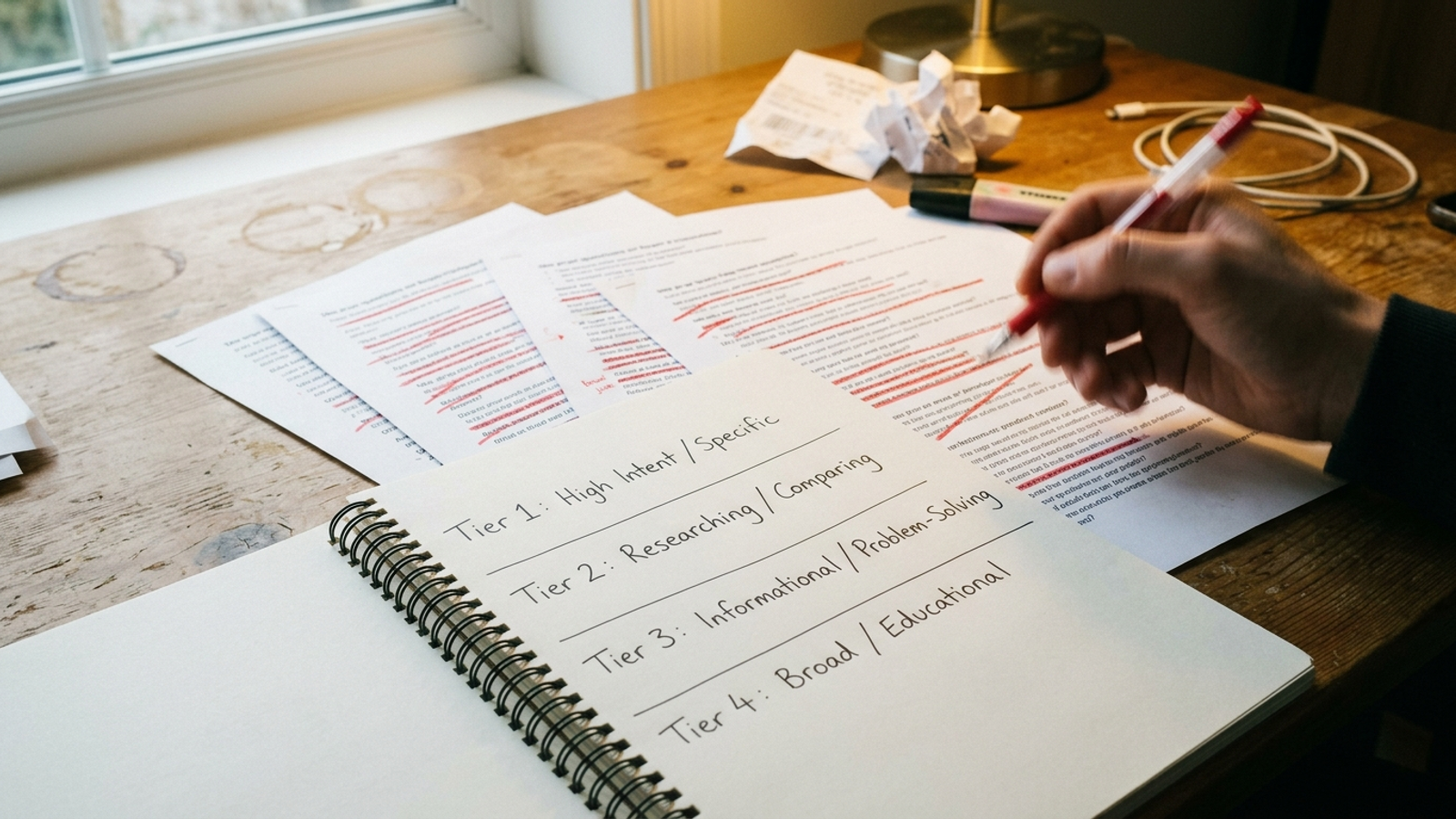
One adjustment: favour the comparison where your absence would cost you a plausible buyer. A famous competitor in every prompt makes a tidy chart, but it can obscure the alternatives people actually weigh. If a question repeatedly scores zero, keep that exact question in the set long enough to see whether a relevant comparison page changes the answer.
Swipe 3: Get found before the buyer knows the category
Use these when you publish how-to or use-case pages. There is no category word to do the connecting for the engine. The buyer describes a costly job, a broken process, or a metric they cannot explain; the answer has to connect that problem to a solution. That makes a zero here more instructive than a zero on a generic category prompt. These are also the questions most likely to disappear from a list assembled by someone who starts and ends with vendor names.
SWIPE 3: PROBLEM-FIRST — replace bracketed placeholders
31. How do I stop [EXPENSIVE PROBLEM] without hiring more staff?
32. How do small [BUYER TYPE] handle [WORKFLOW] without [LEGACY TOOL]?
33. Why does [PROCESS] cost so much and how do I cut it?
34. How do I get fewer [BAD OUTCOME] from [CHANNEL]?
35. What is the fastest way to [JOB TO BE DONE] with a team of [SIZE]?
36. How do I track [METRIC] across [TOOL A] and [TOOL B]?
37. How do I reduce [COST TYPE] from [ACTIVITY] this quarter?
38. Why do [BUYER TYPE] switch from [LEGACY METHOD] to [CATEGORY]?
39. How do I onboard [CLIENT TYPE] faster without more calls?
40. What causes [FAILURE MODE] in [PROCESS] and how do I fix it?
41. How do I prove [ACTIVITY] drives revenue to my boss?
42. How do I compare quotes for [SERVICE] without getting ripped off?
43. How do I automate [REPETITIVE TASK] without losing quality?
44. What should I check before signing a [CATEGORY] contract?
45. How do I fix [PROBLEM] when [TOOL] says everything is fine?
One adjustment: phrase about half of these the way a buyer would complain, not the way your team names the category. “How do I get fewer [BAD OUTCOME]?” may be more revealing than a polished question about optimising [PROCESS]. Keep both kinds only if they represent distinct intent; spelling the same thought 12 ways does not give you 12 useful signals.
Swipe 4: Hear what the engine says behind your back
Use these after a buyer has heard your name. Brand prompts defend demand you already earned; they are not substitutes for unbranded discovery. What a deck calls reputation management, I call finding out what the engine tells people behind your back. I check this group monthly rather than crowding a weekly buyer-prompt set with it. The questions cover fit, cost, complaints, integrations, and the awkward things a prospect might ask instead of asking your sales team.

SWIPE 4: BRAND + REPUTATION — replace bracketed placeholders
46. What is [YOUR BRAND] and what does it do?
47. [YOUR BRAND] reviews: is it good for [BUYER TYPE]?
48. [YOUR BRAND] vs [COMPETITOR]: which should I choose?
49. How much does [YOUR BRAND] cost for [TEAM SIZE / USE CASE]?
50. Is [YOUR BRAND] legit or a scam?
51. What do customers complain about with [YOUR BRAND]?
52. Does [YOUR BRAND] integrate with [TOOL]?
53. [MISSPELLED BRAND] reviews for [USE CASE]
54. Is [YOUR BRAND] better than doing [JOB] with [LEGACY METHOD]?
55. Who owns [YOUR BRAND] and where is it based?
56. Does [YOUR BRAND] offer [SUPPORT / ONBOARDING / GUARANTEE]?
57. [YOUR BRAND] alternatives if I need cheaper pricing?
58. What industries is [YOUR BRAND] best for?
59. Has [YOUR BRAND] had security or reliability issues?
60. Would you hire [YOUR BRAND] for [SPECIFIC JOB] in [CITY]?
One adjustment: include one plausible misspelling and one generic way a buyer might refer to your brand. Do not manufacture a dozen variants just to make the report look comprehensive. If the answer gets your price, support, or capabilities wrong, record the wording in the notes; a mention is not a win when the description sends the buyer away.
Swipe 5: Cut prompts that only make the chart look busy
Use this negative list before you freeze the tracking set. I kept negatives in every search account I ran, and I keep them here for the same reason: irrelevant queries consume attention while flattering the wrong number. An educational question can be worth watching for a separate content goal, but it does not belong in a buyer-visibility baseline just because your brand appears. Cut prompts that do not precede the decision you are trying to measure.
NEGATIVES: DO NOT TRACK IN THE BUYER SET
- What is [CATEGORY]? (definition only, no buyer)
- History of [CATEGORY] / How does AI work?
- Free [CATEGORY] download / crack / torrent
- [CATEGORY] jobs / careers / salary / internship
- [YOUR BRAND] stock price / funding / net worth / CEO salary
- Best [CATEGORY] of all time (nostalgia list, no intent)
- [CATEGORY] jokes / memes / gift ideas
- How to get a job at [YOUR BRAND]
- What does [COMPETITOR ACRONYM] stand for?
- Write a poem / essay about [CATEGORY]
YOUR NEGATIVES:
- ___________________________
- ___________________________
One adjustment: write your own negatives from prompts you were tempted to count. The dangerous ones are not always obvious junk like “jobs” or “memes.” Sometimes they look close to your category but describe someone who would never buy. I would rather report a smaller, uncomfortable buyer set than a broad one that rewards me for showing up in homework answers.
Swipe 6: Score the answer, not just the mention
Use this sheet to establish a manual baseline. A binary mentioned-or-not column treats a name buried beside three competitors the same as a first recommendation with a link. Those are different outcomes. Pick 25 to 40 unbranded buyer questions from Swipes 1–3, then log one row for each prompt, engine, run, and week. The manual baseline method uses that kind of buyer-question set across ChatGPT, Gemini, Perplexity, Google AI Overviews, and AI Mode. You can begin with the engines you can run consistently; do not mix an engine into the weekly total halfway through and call the change progress.
TRACKING SHEET: ONE ROW PER PROMPT × ENGINE × RUN × WEEK
Date | Prompt # | Prompt text (frozen) | Engine | Run 1/2/3 | Score 0–3 | Cited URL | Answer position (first / mid / buried) | Competitors named | Notes

SCORING
0 = Not mentioned; no citation
1 = Mentioned in passing, without a link
2 = Mentioned with a citation OR among the top 3 named
3 = Recommended first or as best fit, with a citation

WEEKLY MATH
Presence share = answers you appear in / total answers
Mention-count share = (your mentions / total brand mentions) × 100
One adjustment: keep the evidence beside the score. Record the cited URL, answer position, competing brands, and anything inaccurate in the answer. Presence share tells you how often you appear; mention-count share tells you how much of the named-brand space you occupy. Neither explains whether the answer recommends you for the right reason. That is why the notes column stays, even when a dashboard would make the table prettier.
Swipe 7: Run the same questions long enough to see a signal
Use these rules every week for the first month. A single answer is a poor control. In one repeat-run comparison, two answers to the same question within an hour shared only 54.7% of brands on ChatGPT and 68.3% on Perplexity. I would not change a page because one answer omitted me on Tuesday. Freeze the wording, run each prompt three times per engine per round, and compare the weekly scores rather than treating one rank as truth. Fifteen prompts mean 45 answers per engine when you use this cadence. That is work, which is another reason to choose the prompts before choosing the tool.
RUN RULES: SAME PROMPT, THREE RUNS
- Freeze prompt text for 30 days. No edits mid-month.
- Each week, run each prompt 3 times on every engine in your set.
- Score each answer 0–3; keep the median as that prompt's weekly score.
- A 3-0-3 or 0-3-0 spread is high variance: run another round before acting.
- A 2-2-2 or 0-0-0 spread is stable enough to investigate.
- Log the date, engine version if shown, and whether the answer used browsing.
- Keep brand-and-reputation prompts on their separate monthly check.
One adjustment: act on repeated gaps, not a noisy Friday. After 30 days, I would look first at persistent zeros in Swipe 2 and ask whether a comparison page answers that exact buyer choice. Next come Swipe 3 zeros that call for a problem-led page. For a score of 1 with no useful citation, check whether the relevant fact appears on a page the engine already cites. Keep a broad prompt index for discovering new questions and your frozen set for trends; Ahrefs describes that split. If running the sheet by hand every Friday becomes the work you want to stop doing, groas tracks visibility across Google and AI answers and works on the gaps it finds. I would hand it the sheet, not ask for a dashboard full of unqualified mentions.
The artefact I would keep if I could keep only one
Use this final check when you review the first month. It is the scoring sheet reduced to the decision I actually need to make. The prompts tell me where to look; the scores stop me from claiming a buried mention is a recommendation.
FIRST-MONTH REVIEW
1. Which comparison prompts scored 0 across repeated weekly runs?
2. Which problem-first prompts scored 0 across repeated weekly runs?
3. Where did we score 1 because we appeared without a useful citation?
4. Where did an answer recommend us but describe us inaccurately?
5. Which changes held across engines and weeks, rather than one run?
One adjustment: keep the 0–3 scale attached to every answer you review. It is the artefact I rate most useful because a binary mention count once let me call noise progress. The sheet makes me show my work.